¶ Using telephony in CRM
¶ 🔌 Connecting telephony via plugins
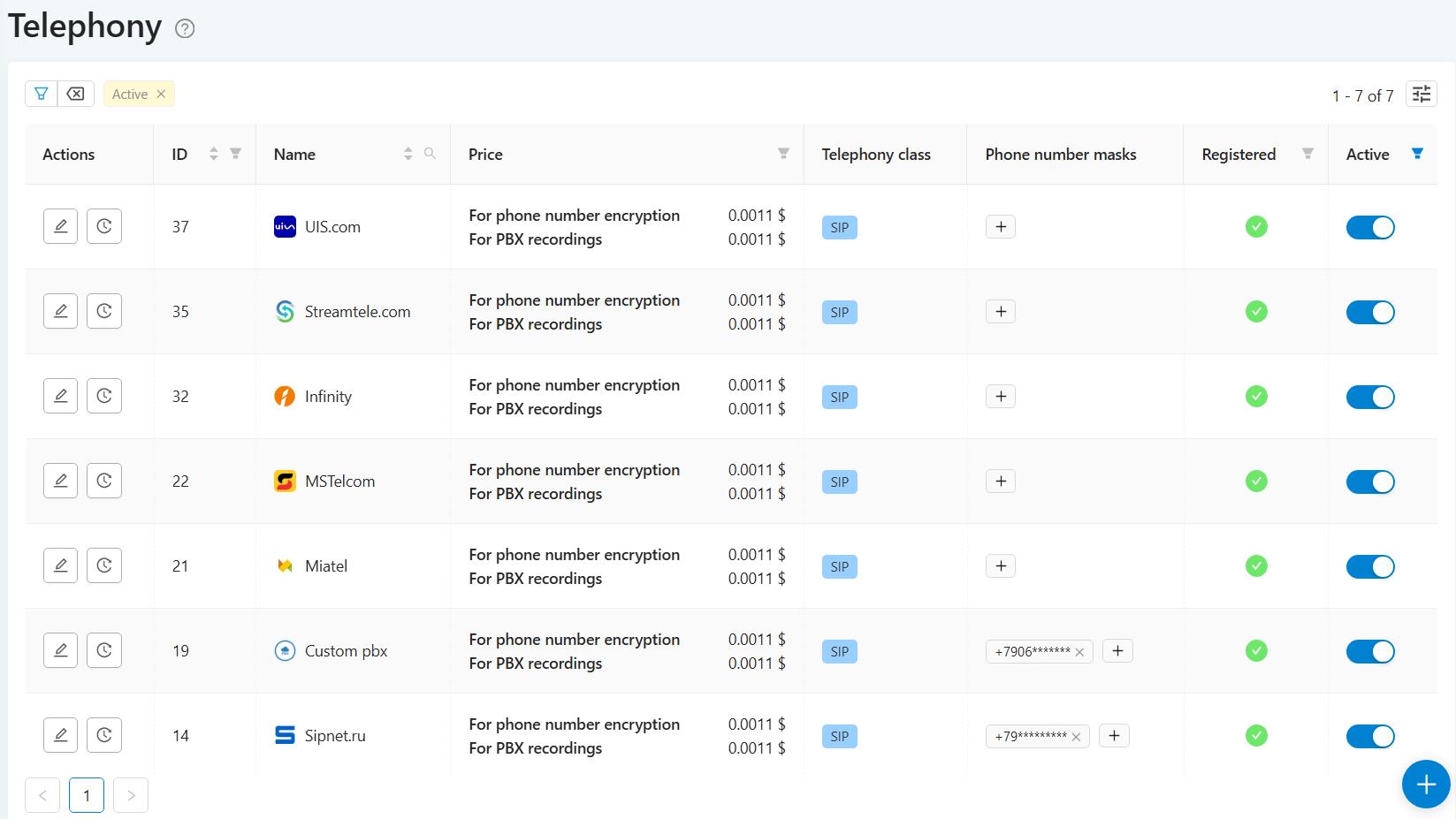
In SalesRender, telephony is connected via SIP provider plugins.
In the plugin, it is enough to specify the trunk data - and you can call right away.
Simultaneous connection of several providers is supported in order to:
✅ call from different providers;
✅ share the load;
✅ reserve in case of failure of one of the channels.
¶ 📤Outgoing telephony
SalesRender has its own PBX.
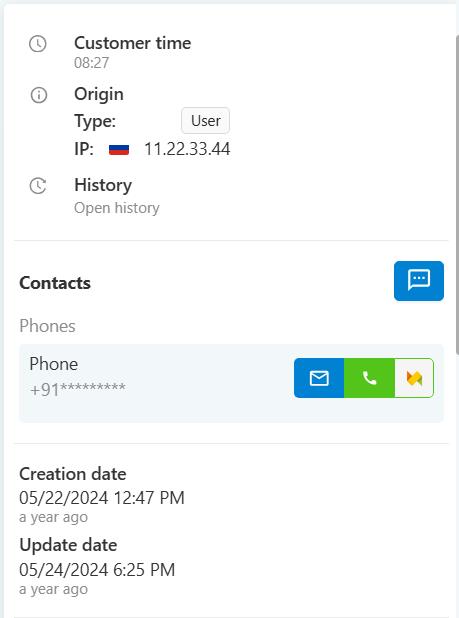
The operator presses the call button in the CRM — the call goes through, the client answers, the conversation is recorded and immediately added to the call and order history.
¶ 📥Incoming telephony
It can be set the way that all incoming calls go to the CRM.
The operator immediately sees the incoming call in the system window, answers and the CRM immediately shows all orders for this phone number.
You can choose what data to show for the found orders, so that the operator can navigate easily.
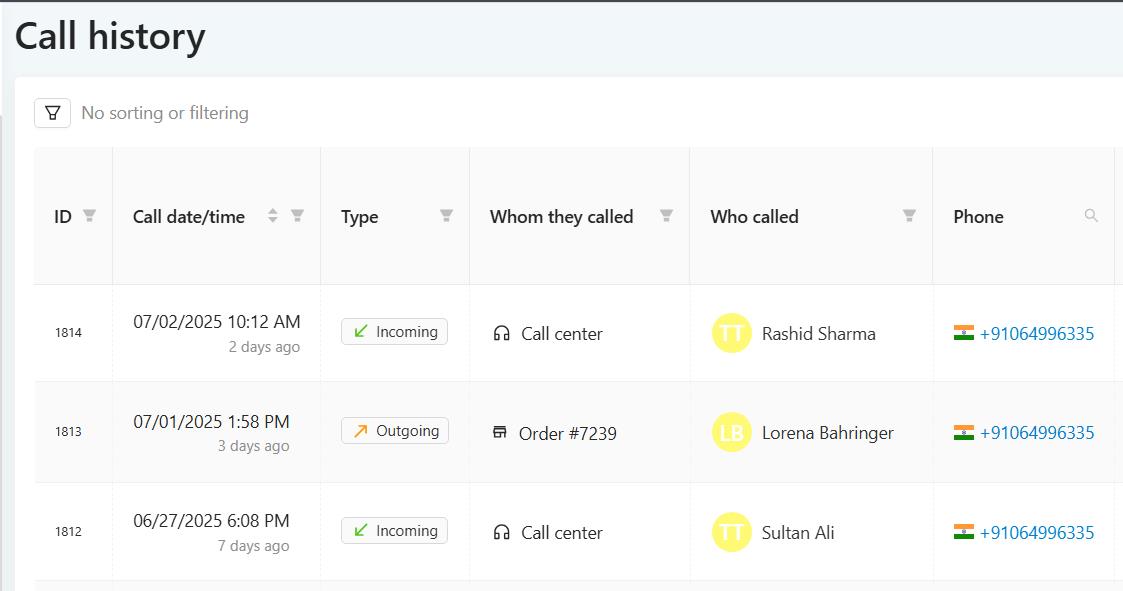
The call history records the incoming call and who answered it.
¶ 🔊Call recordings
Every incoming and outgoing call is automatically recorded.
You can:
🎧 listen to the recording (even at high speed);
💾 download
💡 send it to AI for transcription!
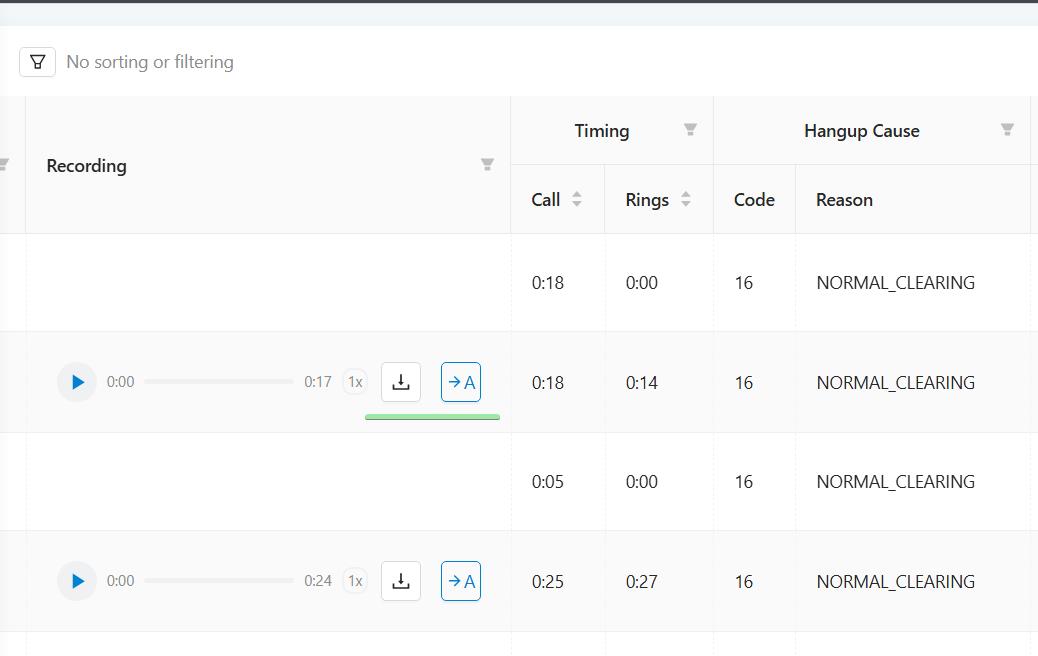
The cost of recording a conversation is 0.0011 $/minute, per second billing.
¶ 🔐 Encrypted phone numbers for security
SalesRender can encrypt client phone numbers so the operator does not see them but still can make a call.
This protects your clients' data.
Also charged at 0.0011 $/minute, per second billing.
¶ ⚡ Auto-dial and calling orders
The operator can click on the order and make an individual call.
But you can enable Autodialing:
The CRM itself books the order for the operator and starts dialing.
If the client picks up the phone, the order card opens, the operator leaves a comment and closes the order.
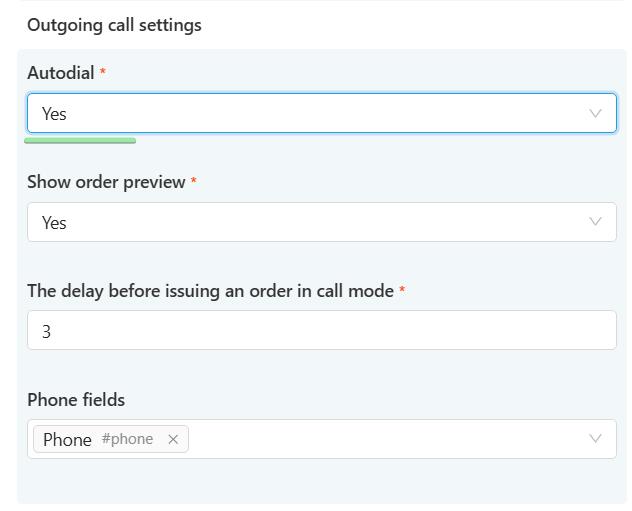
The next order will open in 3, 2, 1... Also, the time between orders can be set in the settings (delay before issuing orders in Call mode)
¶ 🤖 Prohibition of provider selection and provider rotation
When auto-dialing, you can forbid to operators selecting a provider — the system will select it itself based on masks and priorities.
If the first provider responses with an error (for example, the call is dropped), the system will automatically try another one.
There can be up to 5 such attempts per number to increase the probability of getting through.
Important: rotation occurs only if the call fails. If the client simply does not answer the call, we will not distuurb them!
¶ 🧭 Number masks for call routing
It is possible to set masks for providers so that calls to certain numbers go through the desired telephony provider.
Example:
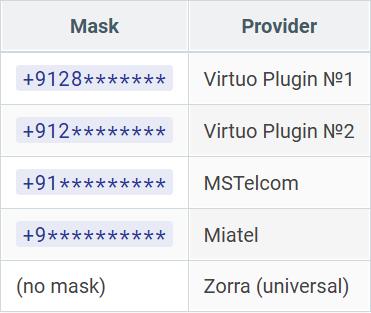
How does priority work: the longer the match by mask, the higher the priority.
If more digits match - this provider will be selected. And if nothing matches the mask, then the provider that does not have a mask will call.
¶ 🎯 Routing examples
A call to +91283580000 will go through Virtuo:
Virtuo plugin #1 (4 matching digits)
Virtuo plugin #2 (3 digits)
MSTelcom (2 digits)
Miatel (1 digit)
Zorra (0.5 — because without a mask)
This way you can:
✅ customize routes for countries and regions;
✅ balance the load between providers;
✅ influence the cost of calls.
¶ 📊 Call statistics
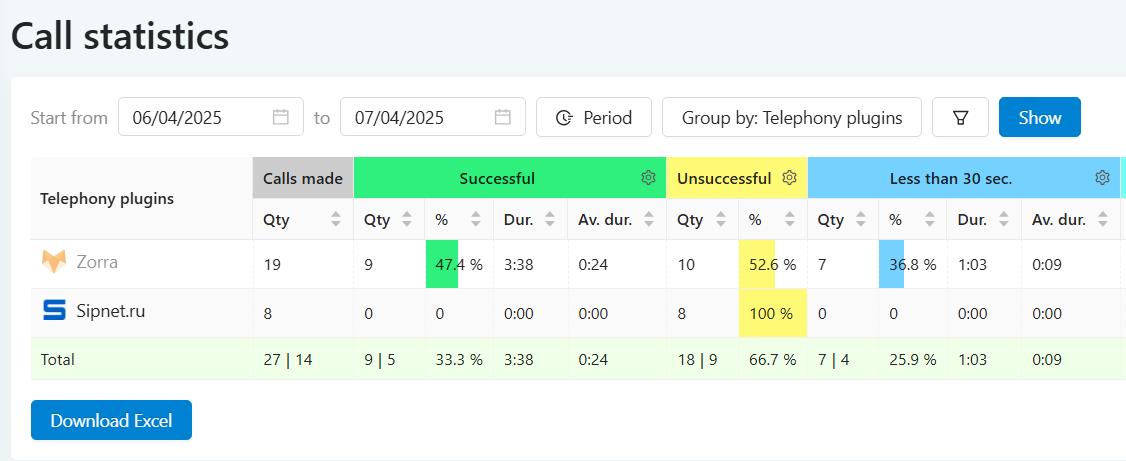
The CRM provides statistics on dialing for each provider.
This way you can easily see who has more calls and who has more missed calls. You can also see duration of calls, for example, even if one of the providers has a high dialing rate, but a large proportion of calls are less than 30 seconds, this may be a sign of a large number of answering machines.
¶ 🏆 Result: how will all this help business?
With the help of this system in SalesRender:
✅ you connect telephony in 5 minutes;
✅ make calls directly from CRM without third-party software;
✅ record all conversations;
✅ secure your client numbers;
✅ increase calls by rotating providers;
✅ and control everything with statistics.