¶ Auto-rotation of telephony providers
The main challenge of call centers is reaching clients.
Clients often don’t answer calls, numbers quickly get flagged as spam, and you need to switch between different telephony providers.
In SalesRender, you can add multiple telephony providers and enable automatic rotation.
This feature significantly increases the call connection rate.
Provider rotation is a mechanism where the CRM automatically attempts to make an outbound call through different connected SIP providers if the first provider fails.
¶ How to enable auto-rotation so providers switch automatically
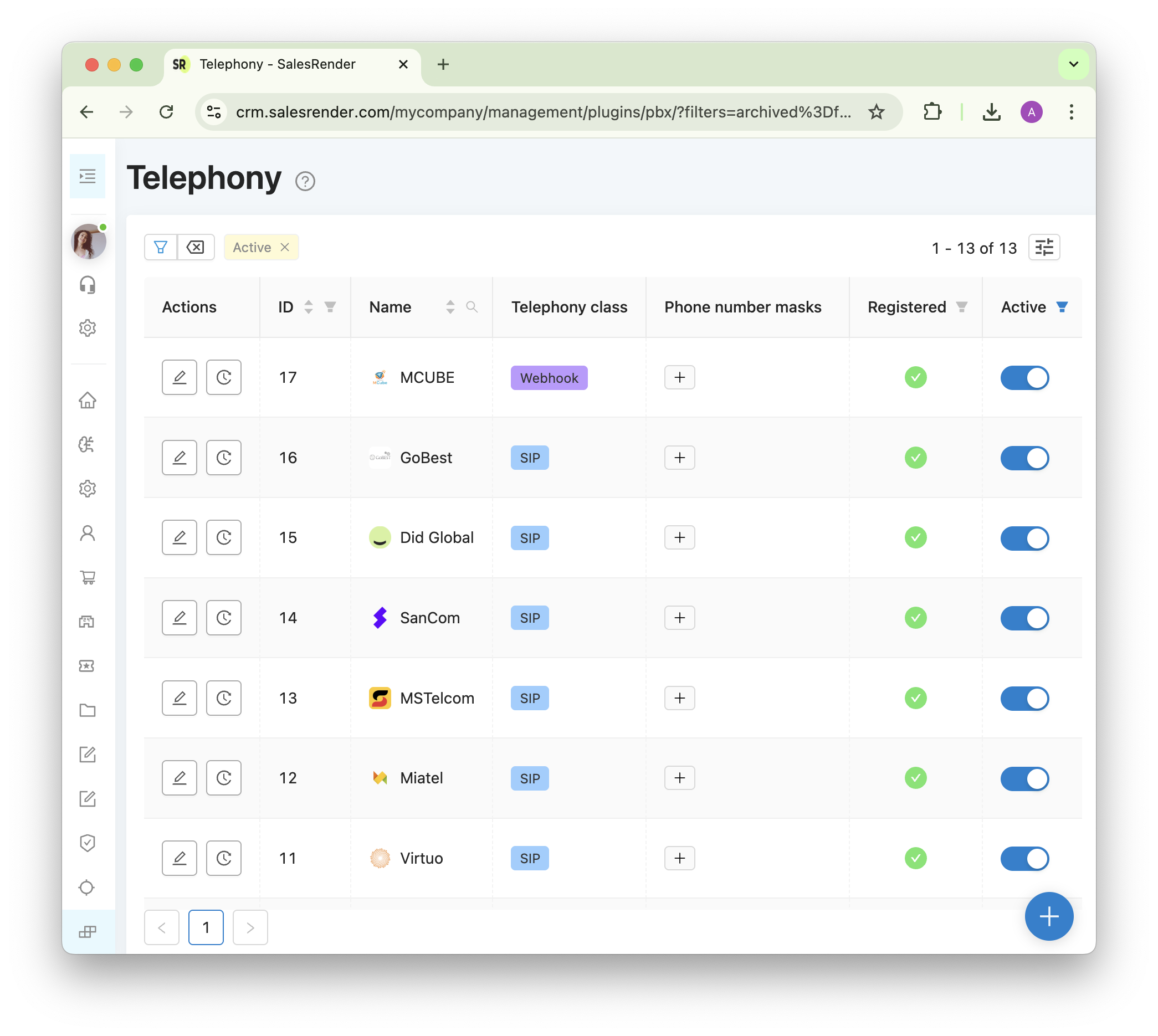
- Add several SIP telephony providers via plugins
- Restrict operators from choosing telephony plugins, so they cannot manually select which provider to use
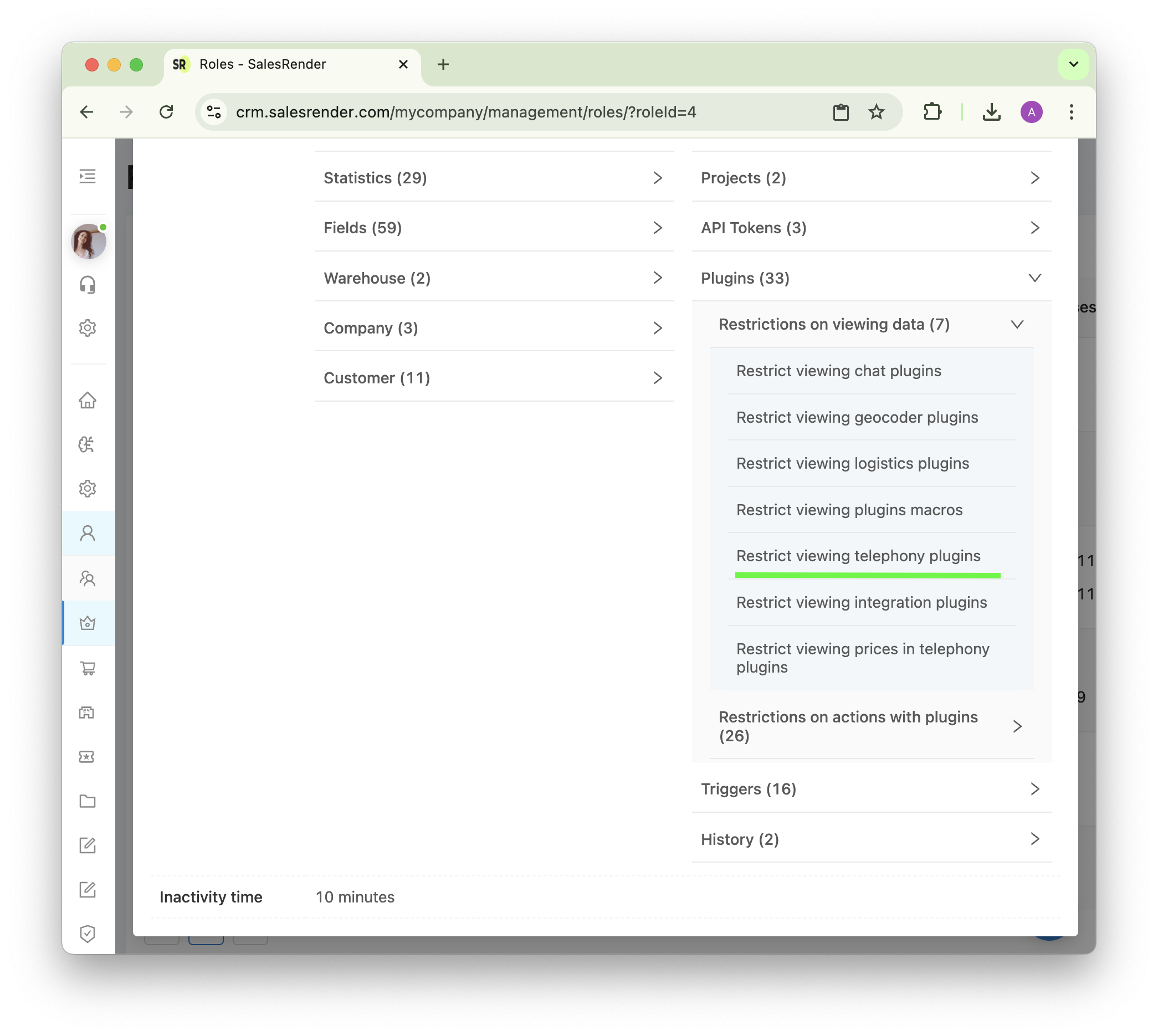
Done! Now auto-rotation of telephony providers is enabled.
The system automatically chooses the provider for each call, and if the first provider cannot place the call, it will automatically attempt with the next provider in the list.
Rotation is triggered only when the first provider returns an error, for example if the provider has a negative balance or incorrect registration data.
Only in these cases will the system attempt to use other providers.
The total number of call attempts to the same number can be up to 5 attempts.
¶ When rotation will NOT work
Rotation is triggered only in case of a technical error.
If the call was successfully initiated but the client simply does not answer, the system will not retry through other providers.
This prevents annoying clients with repeated calls.
¶ How to configure a backup provider that activates only if the primary fails
By default, provider rotation distributes calls evenly across all providers.
But you can set priorities, for example if:
- You want most calls to go through a specific provider, and another (e.g., more expensive) to be used only in case of failures.
- You want one provider to always be used, and another to be triggered for specific phone number codes.
- You want one provider for one country, and another provider for another country.
This is done with number masks.
For each plugin, you can configure phone number masks (patterns) so the CRM knows which provider is preferred for specific directions.
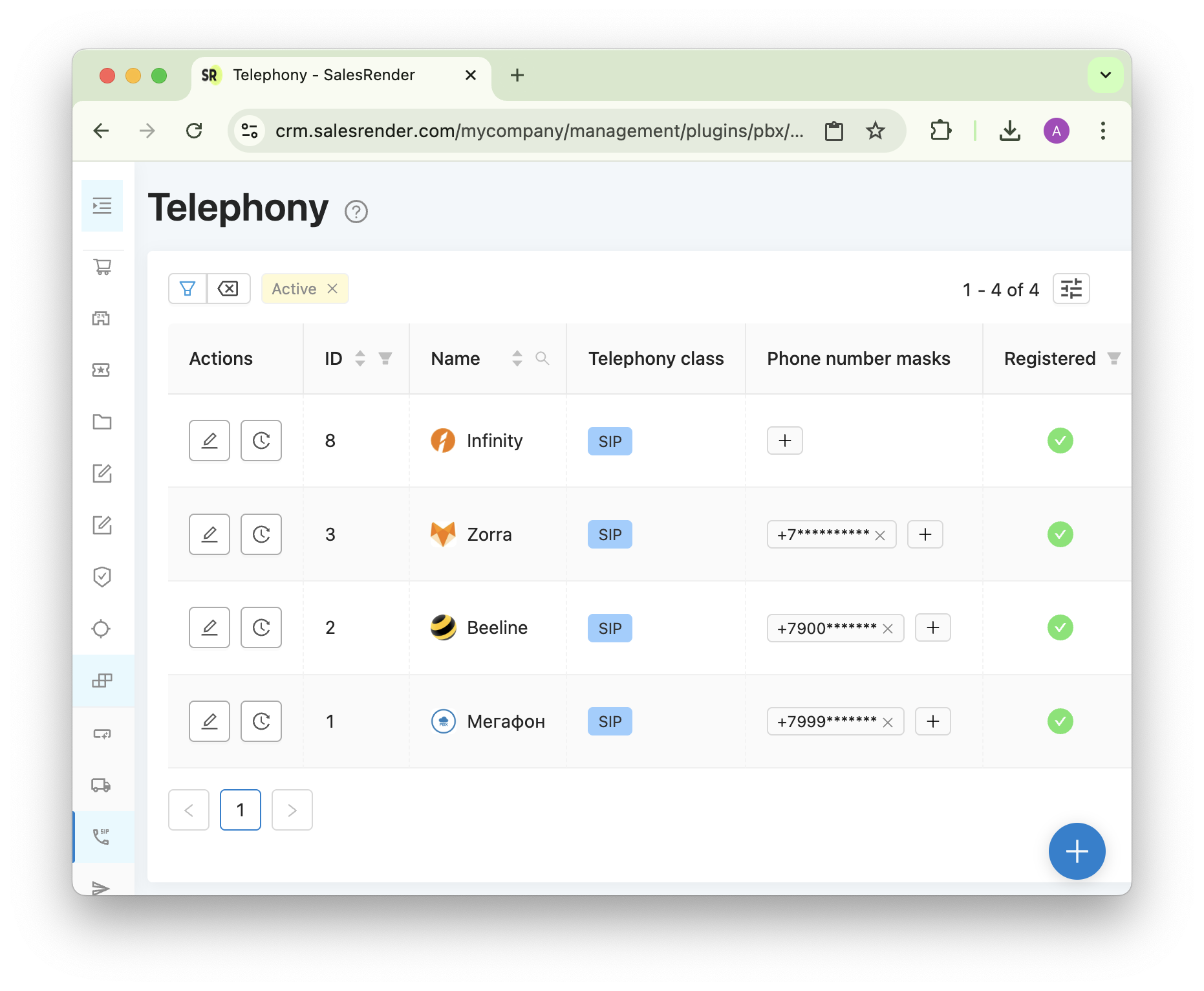
Example: You have plugins MTS, Beeline, Megafon, and Zorra.
You set the following masks:
+7999******* – Megafon
+7900******* – Beeline
+7********** – Zorra
no mask – Infinity (universal plugin)
How provider selection will work with this setup:
Number +79993580000:
- Megafon – 4 points (matched 4 digits)
- Beeline – no match
- Zorra – 1 point
- Infinity – 0.5 points (no mask)
Number +79003000000:
- Megafon – no match
- Beeline – 4 points (matched 4 digits)
- Zorra – 1 point
- Infinity – 0.5 points (no mask)
Number +34123580000:
- Megafon – no match
- Beeline – no match
- Zorra – no match
- Infinity – 0.5 points (no mask)
Thus, you can assign more digits to the preferred provider to make it more likely to match.
For a backup provider, you can leave no mask at all.
And if you want to temporarily disable a plugin for outbound calls (leaving it only for inbound), you can set an invalid mask so it will never match in rotation.
¶ "Autodial" and "Order Preview" – enable extra options
You’ve already connected several telephony providers and restricted operators from choosing them.
An operator clicks the call button in an order, and the system automatically selects the provider.
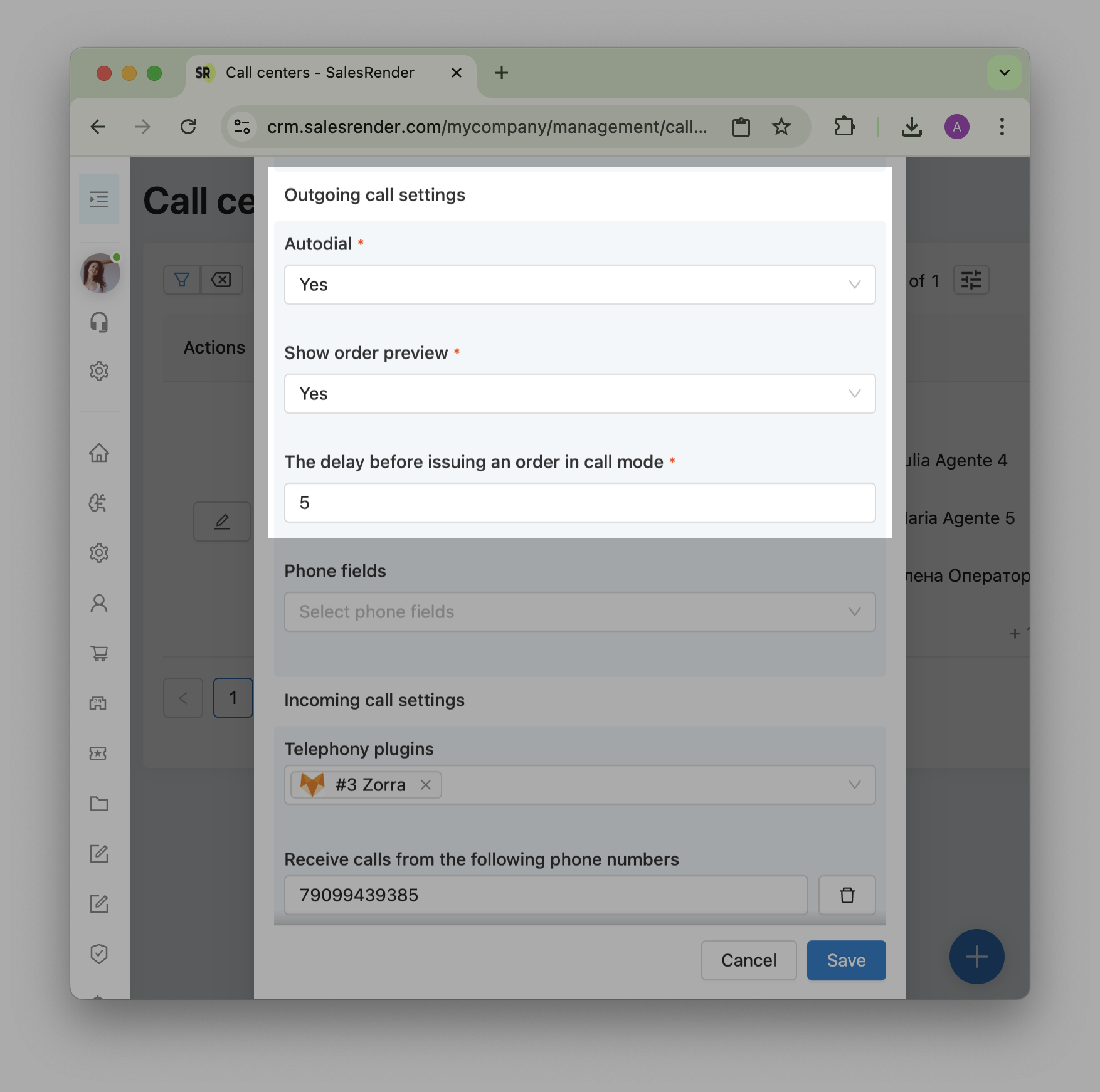
You can go further and enable automatic dialing of client phone numbers.
Autodial mode automatically assigns orders to operators.
The system itself selects the order, the provider, and initiates the call.
The operator just needs to prepare for the conversation.
With autodial enabled, the operator does not need to click "Get order" each time.
They only need to set their status to "Online".
Then the system works automatically.
To take a break, the operator changes their status to "Offline", and order distribution and autodial stop.
After finishing one order, the operator sees a timer (e.g., 10 seconds), after which the next order opens automatically.
This interval is configurable in the call center settings.
While the system is dialing, the operator sees the order card and waits for the client to answer.
But to reduce the operator’s time inside the full order card, you can enable order preview during ringing.
This shows only the main info and helps them focus better.
¶ Call statistics by provider
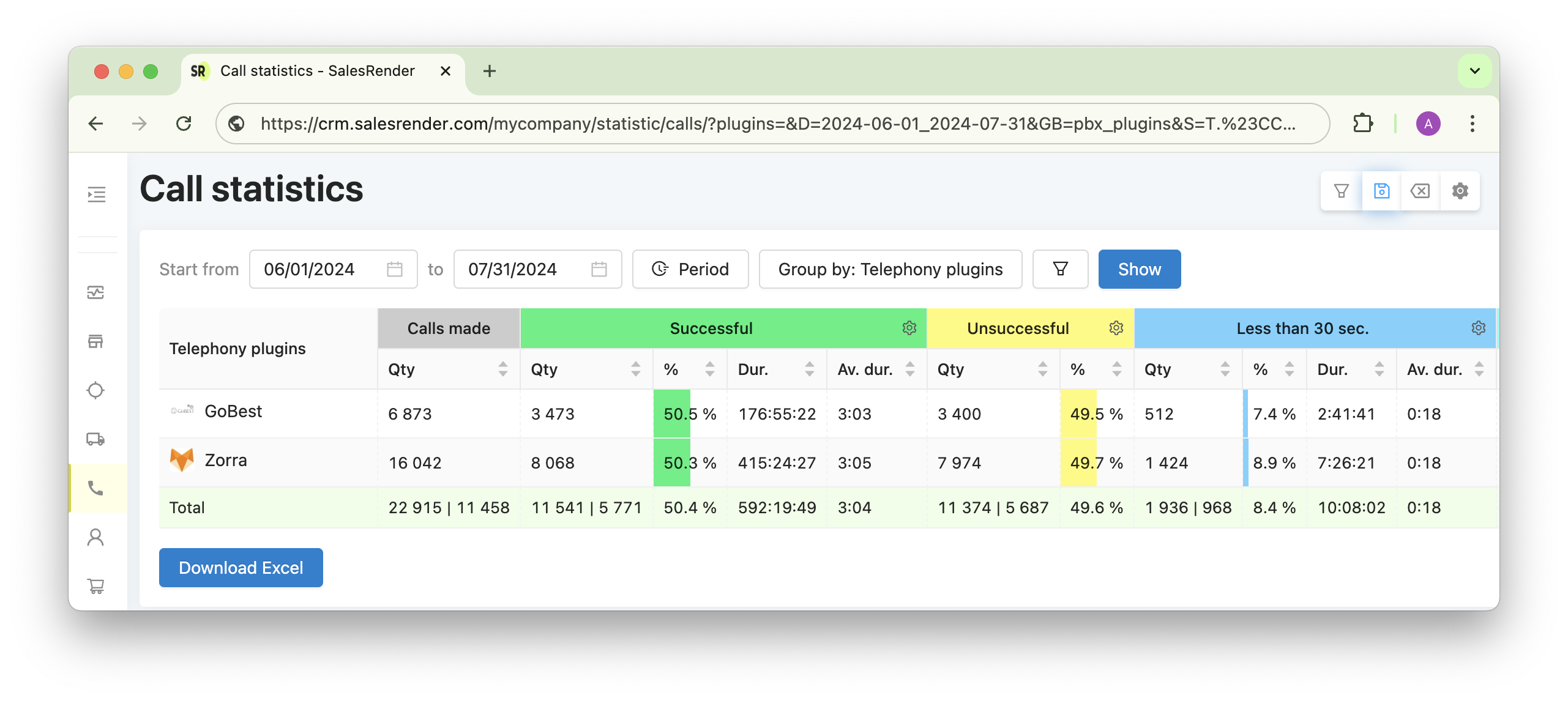
In the "Statistics" section, you’ll find call stats showing the percentage of successful and unsuccessful calls, total call duration, and breakdowns into short and long calls.
If you enable grouping by telephony plugins, you can immediately see which provider has the highest connection rate.
You can also view data by employees or webmasters.
Contact our support — we’ll help you design the right mask strategy and provider setup.
See more automation features at salesrender.com
Follow our Telegram channel
)
Contact CEO Anna in Telegram